I've been feeling the age of my Wintel PC for some time - at least as far as gaming horsepower goes. With Windows Vista supposedly just around the corner though, I'd made the decision to wait and see what was going to happen regarding emerging DirectX 10.0 hardware and the new OS system requirements before making an investment in a new machine.
Enter Elder Scrolls IV: Oblivion. Back when Morrowind launched, I had taken the Elder Scrolls red pill - big time. It was an amazing, liberatingly open-ended game, and I had lost many an hour of sleep in pursuit of one quest or another. As a result, I've obviously been watching the development progress of Oblivion closely.
Fast forward to Oblivion's launch - it was decision time. I had held off buying a Xbox 360 because I simply wasn't enamored enough with any of the titles to blow my $400. In addition, the 360 is a mixed blessing. Sure, it's 8.8 lbs of next-gen console on nitrous oxide, but what's the point if one only owns a regular-def TV? On an old-school TV, the 360 is basically just an Xbox, in my mind. So, we're not just talking the $500 for the 360 plus accessories, we also need to figure on at least another $500 for an HDTV.
Thing is though, I do own a nice PC monitor. With an adapter cable (and probably a switch box, for convenience), one can play a 360 on one's monitor. So, 360 or PC? I finally figured that the cheapest route was to buy Oblivion for my PC and see whether it would run it.
It did, but not well. Here's what I'm running:
Dell Dimension 8200
Pentium 4 2.66 Mhz
1 Gb RAM
Nvidia GeForce 6800 (128Mb) video card (AGP)
Soundblaster Live! 24-bit audio
etc.
This system detected as "medium range", and Oblivion set itself up as such. In the end, I think the GeForce 6800 bumped me into the "medium" range, being of the 6800 chipset family, but it shouldn't have. If you don't have a 256 Mb vidio card, Oblivion isn't going to run acceptably (at least, by my standards).
In any case, at Oblivion's autodetected "medium" settings, the game looked gorgeous. Unfortunately though, the framerates were pretty choppy - say 10-15 FPS. Some people are putting up with this kind of speed, but it simply makes my eyes tired too fast and distracts me from the gameplay. Plus, my FPS dipped even further in combat, and I began to realize that in the more difficult upcoming fights, I wasn't going to be able to compete. It's like trying to get by in a boxing ring while blinking one's eyes rapidly - pretty soon both eyes are going to be swelled shut. (Cut me, Rocco! Adriaaan!)
So, I spent the next week or so on the Bethesda message boards, taking notes and tweaking out my settings and .ini file. I ended up with some decent framerates, but the game was no longer beautiful. The world was now kind of flat and less interesting, and I wanted shiny, blazing beauty, dammit!
What to do? I could spend ~$500 on a 360 and yet another copy of the game, and hook the 360 up to my PC monitor. Or, I could buy a new graphics card to put one last-ditch band-aid on my aging PC. Or, I could spring for a new system, which I'd been thinking I needed anyway.
As far as upgrading my current system goes, it is an old AGP-format motherboard, and it only takes the incredibly expensive and ill-conceived RDRAM. I'd added another 512 Mb about a year ago to give WoW a bit of a boost, and it had cost almost $300- youch. The new graphics cards are all PCI Express, not AGP, except for the new GeForce 7800 GS boards. Still, even though those cards are fast, the aging AGP bus simply holds them back.
The bonus to a new PC, on the other hand, is that my 10-year-old son is now getting old enough that he uses my PC all the time for school, and likes to play a bit of WoW himself. (Well, let's be honest here. I've addicted my OWN son to the digital equivalent of crack cocaine...) My current system is still just fine for office apps, surfing, and playing WoW. So, a fine candidate for a hand-me-down PC for Zack (and he was predictably all for that idea).
Finally, Microsoft's announcement about a week back, that Vista has been pushed back to at least early 2007, was the mosquito that landed on the other side of my precariously-balanced teeter-totter. The expensive side of the teeter totter. (At least it will be, if I ever pay it off...)
The last decision was whether to buy a pre-built system, or build a rig from scratch. I was sorely tempted by Alienware's Aurora 7500 systems, which are priced very competitively in the gaming PC sector. In the end though, I just couldn't see paying another $500 for a warranty, some (questionable) phone support, and for them to build it.
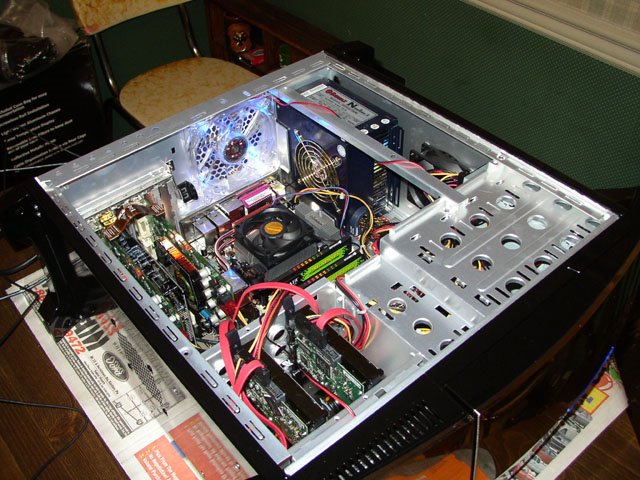
I decided to build my own. I had done so several times in the past, and am no stranger to the gorey innards of a PC. That said, I'm not too up on some of the current high-end technology - stuff like SLI-linked video cards and Raid 0 performance hard disk arrays. Damn the torpedoes, though - I specced out the system last week and ordered it all over the weekend.
Here's what's in transit to my door:
The Guts
AMD Athlon 64 X2 3800+ Processor (dual core)
Asus A8N32-SLI Deluxe nForce4 mobo
2 Gb Corsair 3500LL PRO RAM
(2) eVGA GeForce 7900 GT CO (256 Mb) video cards (to be SLI-linked)
(2) Seagate Barracuda 80GB SATA 3Gb/s 7200RPM hard drives (for a Raid 0 array)
Sound Blaster X-Fi XtremeMusic sound card
NEC ND-3550A 16X Double Layer DVD±RW Drive
Enermax Noisetaker II 600W Power Supply
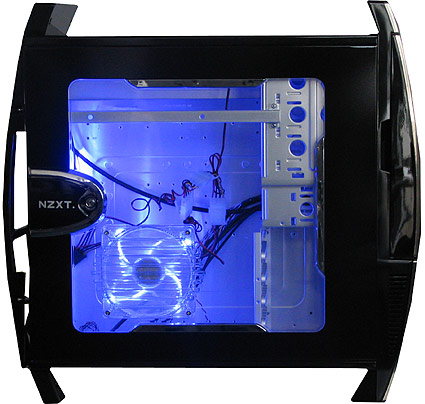
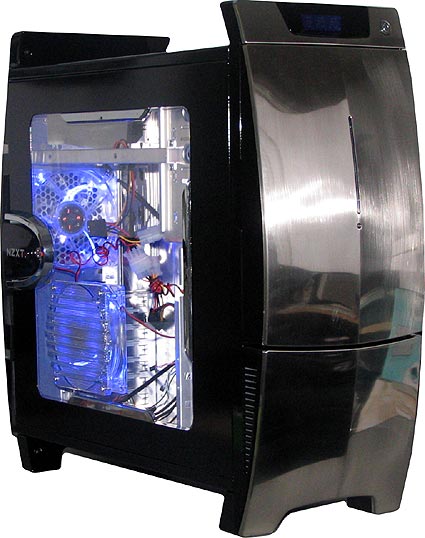
NZXT Lexa case
The Peripherals
Viewsonic VX922 19in LCD Monitor (badass 2ms response time)
Saitek Eclipse keyboard
Razer Copperhead Gaming Mouse
Wolfking Warrior gaming keypad
Altec Lansing GT5051 Dolby 5.1 (3.1?) speaker system
In the end, I went a little nutty on the peripherals to match my case. The Lexa case has a clear acrylic side panel, and the fans light up via LED's so that the inside of the case glows blue and shows off my sexy new hardware. I'll probably add a few supplementary blue light sticks inside the case, and underneath to give it that Streetglow modified import hot rod car look:
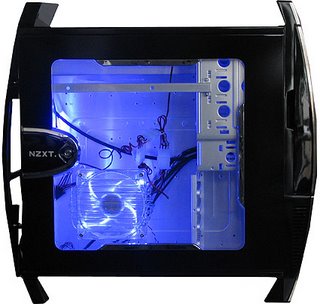
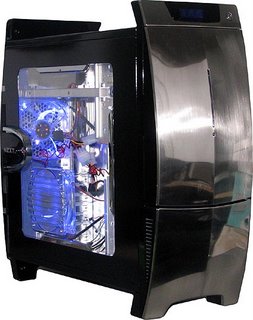
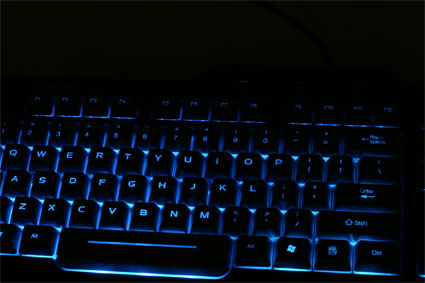
I actually chose the case for the quality and the cooling efficiency - the crazy glow was just an added attraction. That said, I couldn't resist the Eclipse keyboard and Razer mouse though. They both also glow blue, and will simply look hawt and compliment the case. The knobs on my speaker system even glow blue... Here's a pic of the KB in all its radioactive glory:
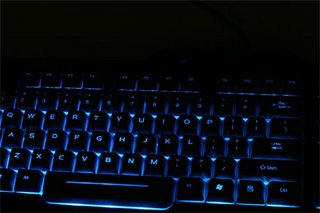
One final note to cap off my setup. I've been reading about
Wolfking's cool new gaming keyboards, and I just couldn't pass those up anymore. The hot new Wolfking peripherals are simply gaming keyboards made by gamers for gamers. Check out the Warrior's layout:

The Wolfking folks decided to help all us gamers out by creating comfortable input devices based around the WASD configuration. I opted to get the standalone Warrior pad rather than the
Timberwolf, which has the gaming pad built right into the left side of a normal keyboard. I wanted to make sure I was comfortable typing when not gaming. Plus, I didn't want to give up my num pad.
Back in the day, PC's were called "clones", short for "IBM clone". Nowadays, unless you're looking for a cool laptop, IBM is pretty much a non-player. In any case, my old pre-Dell machine had been dubbed the Frankenclone, due to its piecemeal incarnations and upgrades. So, I think we're looking at the specs for Son of Frankenclone above. Hence, the titular reference. That, and I'm a huge fan of the
Helloween song... :P Only this time, as I scream "it's alive!!", I will be bathed in an unholy, eerie electric blue glow. Muuahahaha!
I can't wait to get Oblivion cranking on this new rig. Mmmmm... FPS-y....





 Posts
Posts


